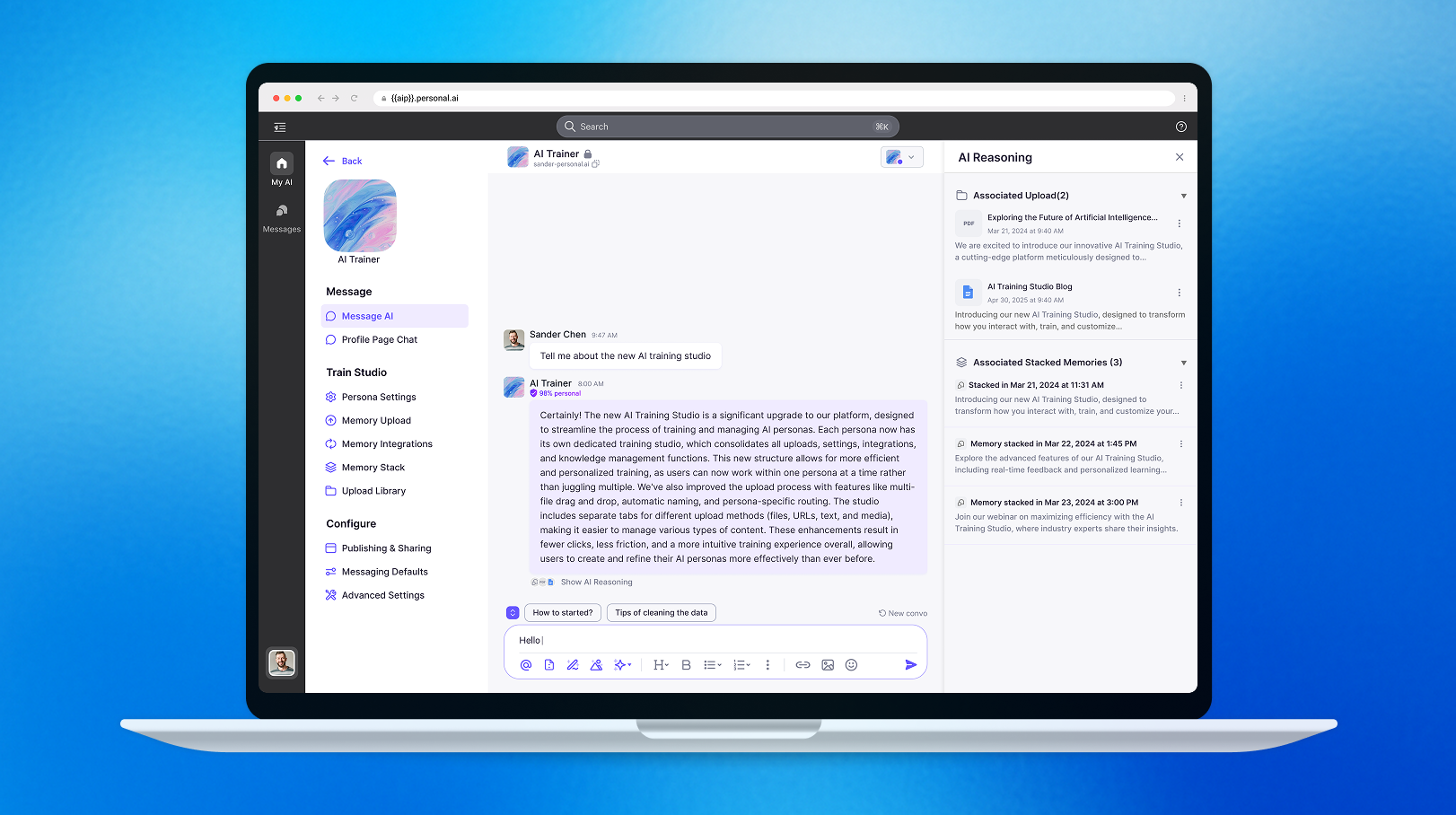
I led the design of AI security and trust features for the platform. Prior to this initiative, there was no AI Trusty-related design in place — users mistrusted opaque AI responses, and trainers had no efficient way to address issues in source documents.
For trainers, the existing process was tedious: they had to navigate to the Upload Library and manually locate the relevant files for revision. To address this, I designed an interactive response system that makes AI–human interactions transparent, while honoring the platform's RBAC (Role-Based Access Control) model so trust and usability are maintained for every role.
Trust isn't a badge — it's the visibility, control, and recoverability you give the user at every step.
- Make AI responses inspectable, not opaque
- Give owners precise control over who sees what
- Make trainer revisions a one-click trip, not a file hunt
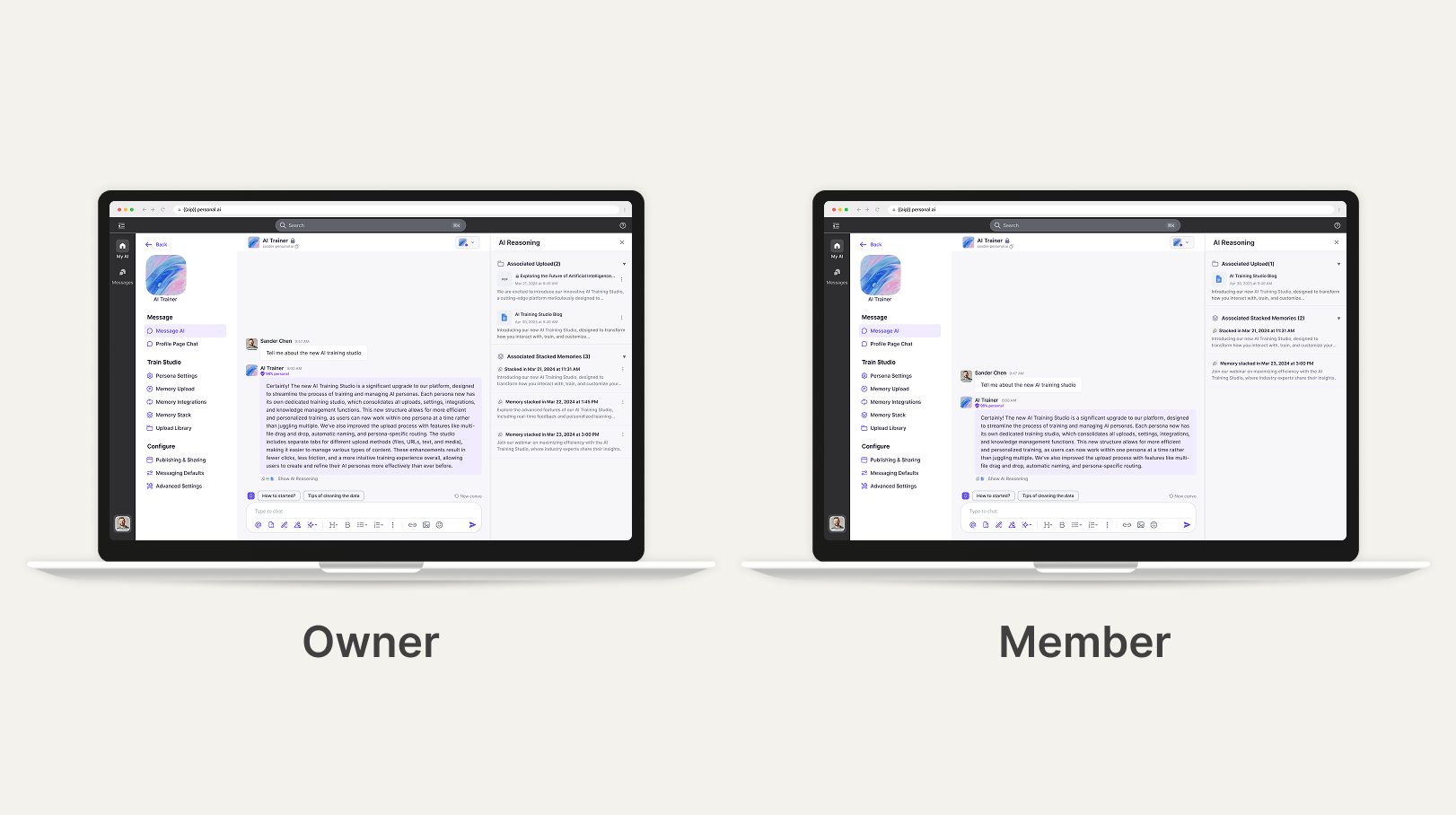
The owner decides who sees what.
With role-based access, sensitive AI responses stay private while shared insights reach the right people. The model maps cleanly to how enterprise teams already think about visibility — owner, editor, viewer — and surfaces the access state in the same place users read the response.
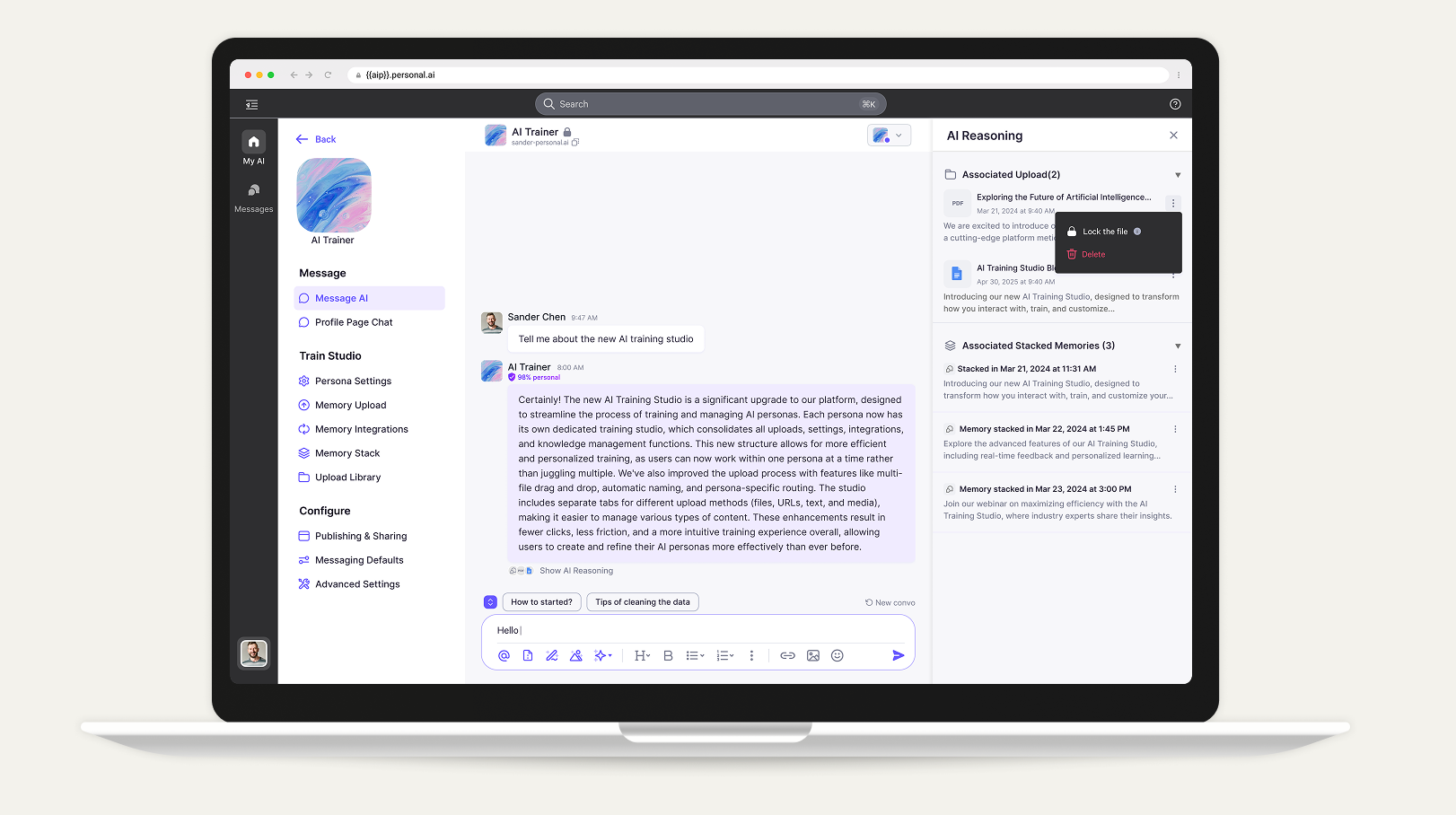
Lock sensitive files in fewer steps.
Owners can quickly lock files to protect sensitive data and prevent unauthorized access. The lock action lives where the file is read — no settings detour, no second screen — so privacy hygiene stays in the flow of work.
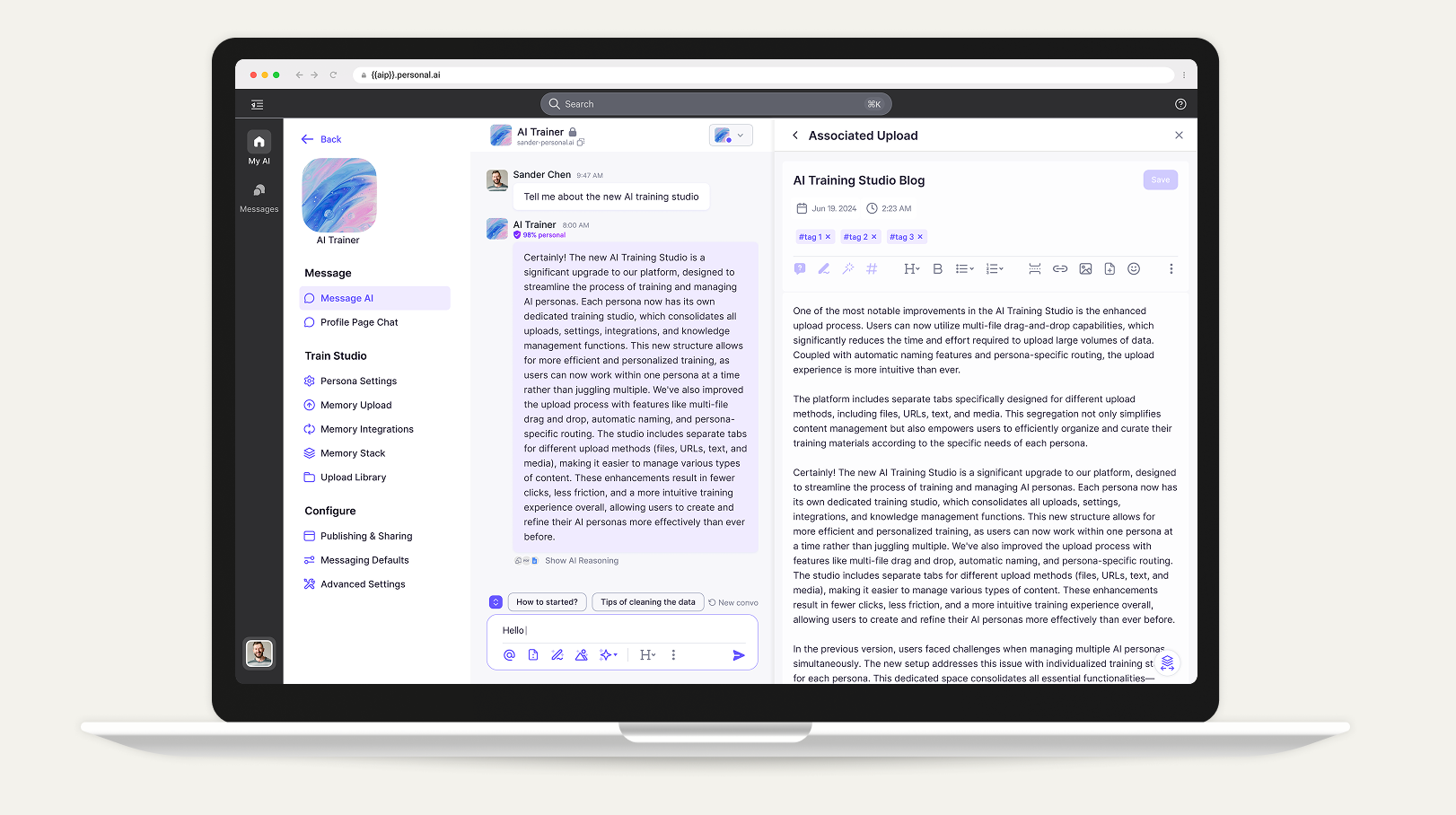
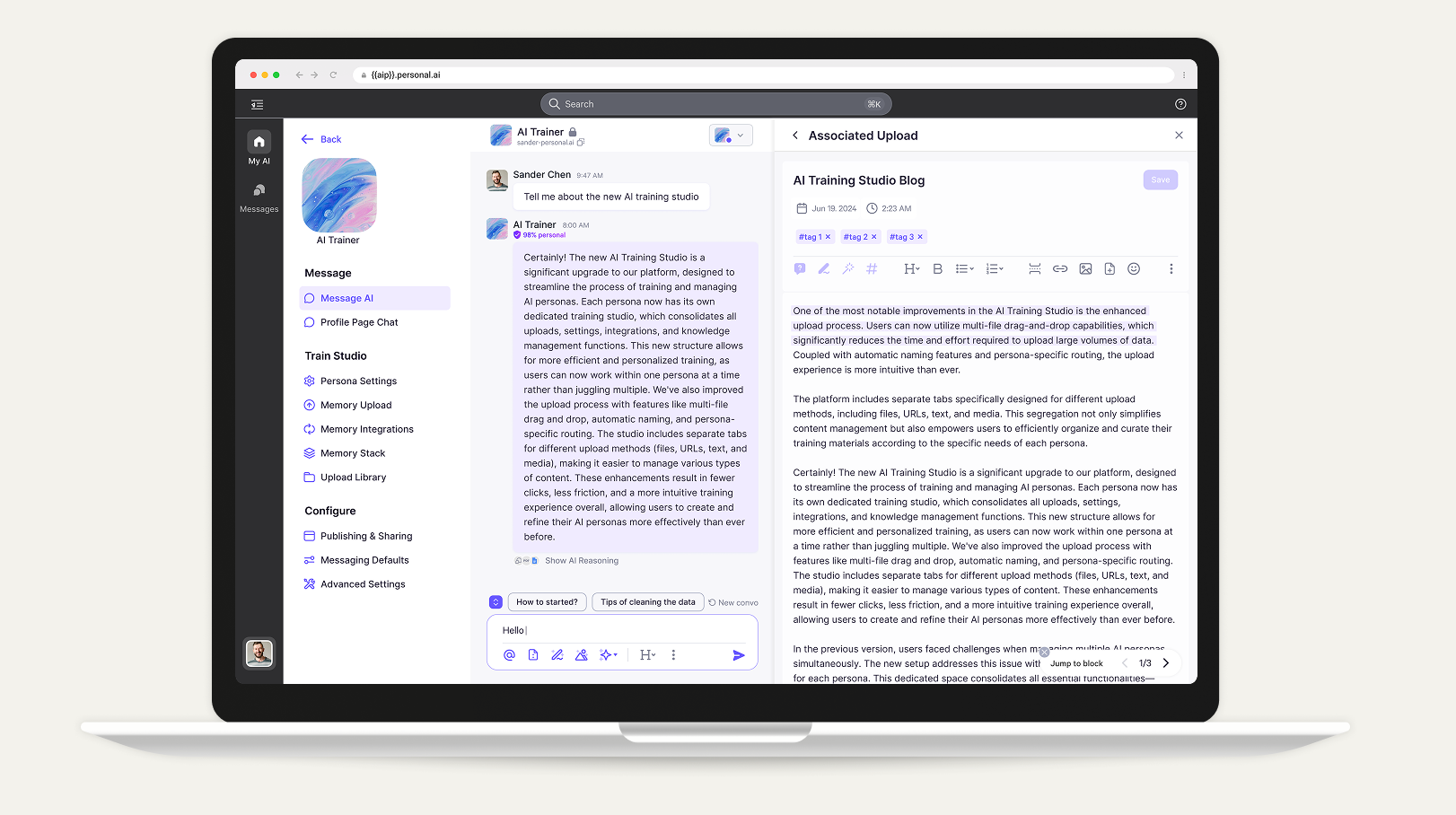
From a citation, straight to the chunk.
The expandable sidebar streamlines file edits in place, while the Jump-to button lets trainers swiftly navigate to the cited chunk and resolve specific issues — collapsing a multi-step file hunt into a single, traceable click.
Ease the wait, build the trust.
I designed the response interaction to ease uncertainty while users wait for AI, signalling progress and intent rather than an opaque spinner. Small cues — typing rhythm, source previews, partial reasoning — make the wait feel like a conversation continuing, not a black box stalling.
The result is a smoother, more reassuring loop: users stay engaged, trust the answer when it lands, and have somewhere to go when it doesn't.